
From layout to assembly files
14 steps in ANDAMENTO WEB, with button names as in the app. The example is a lettering panel in andamento, but the order is the same for any technique.
Open ANDAMENTO WEB
Go to web.andamento.app/lab on a computer, window 1440 × 900 or larger. Sign in with your andamento.app account: a PRO subscription is required. The first time, a short tour opens; replay it with ? in the header.
Start a layout
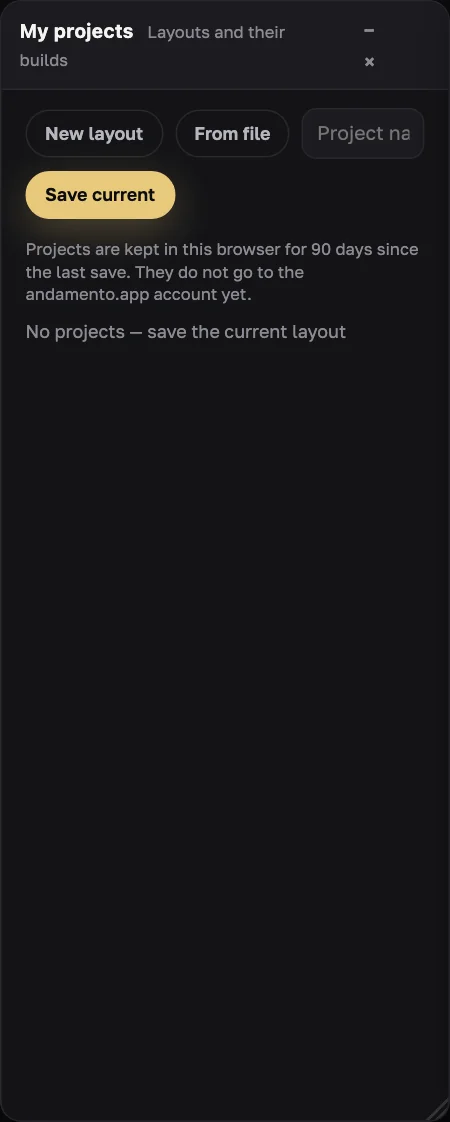
In My projects press New layout (a starter: letter «А» in a frame, MELTI smalto) or From file to open your own .andamento.
Set the canvas
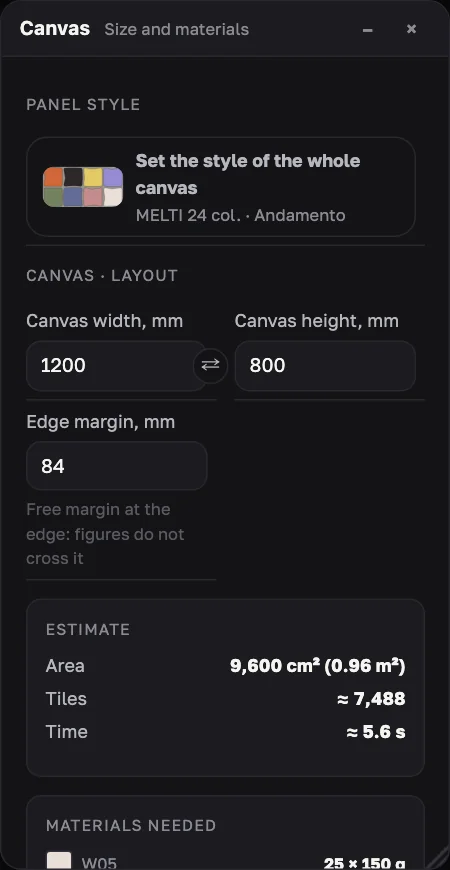
In the Canvas window: Canvas width, mm and Canvas height, mm (500–3000; ⇄ swaps them) and Edge margin, mm. Below is the Estimate: area, approximate tiles and time.
Add content
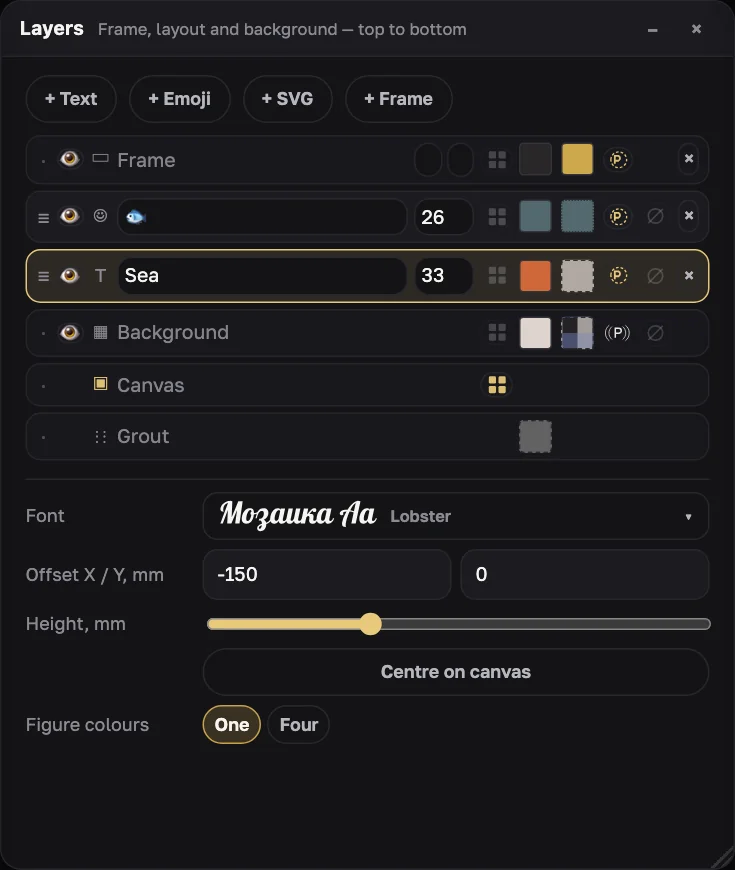
In Layers or on the Layout side toolbar: + Text (then Font), + Emoji, + SVG, + Frame. Drag a layer with the mouse, resize with the corner handle or ⌥ + wheel; Centre on canvas aligns it. ⌘Z undoes.
Choose the panel style
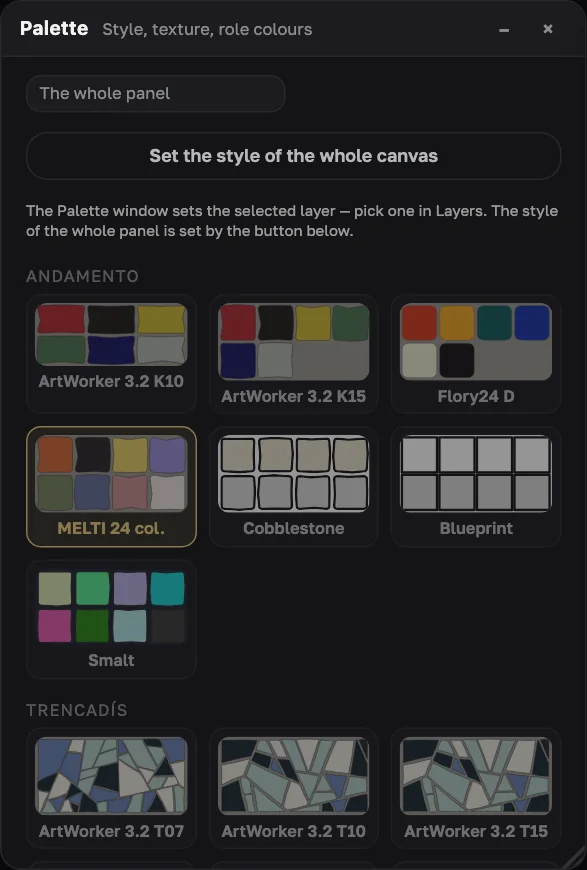
In Canvas press Set the style of the whole canvas: a palette card under the right technique sets both. For example, “MELTI 24 col.” under Andamento, or “Stained glass” under Stained glass.
Tune the parts (optional)
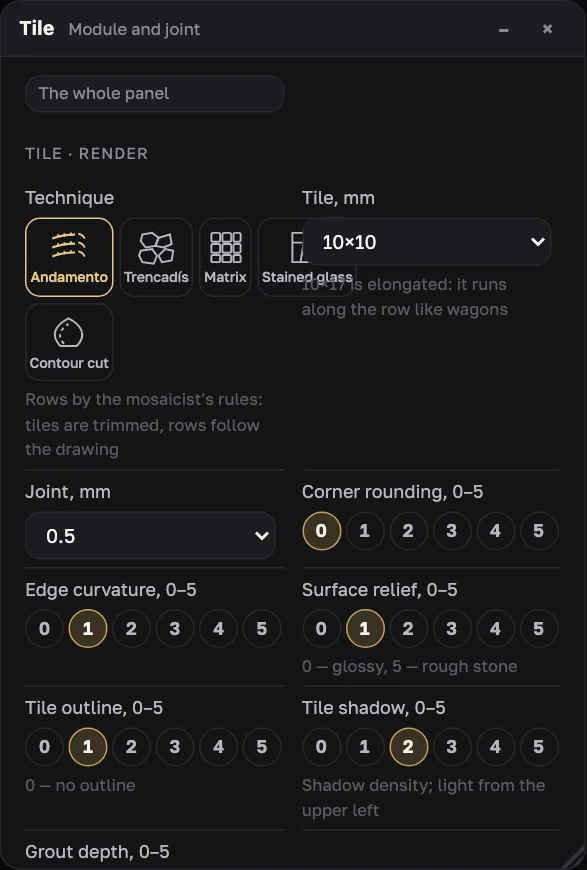
Select a layer, Background or Frame in Layers — Palette and Tile will edit only that. In Tile: Technique, Tile, mm or Piece, mm, Joint, mm, and for matrix Cell taken from, %. Back to the whole panel — To the panel.
Background
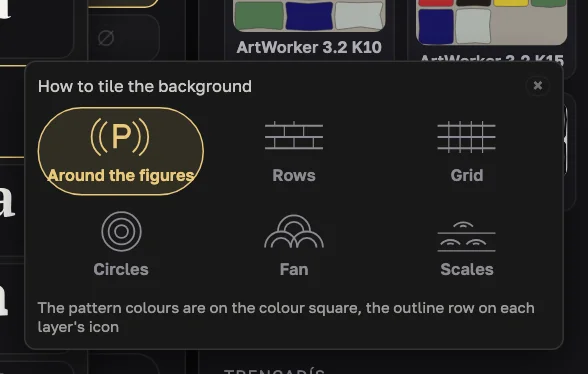
The Background row has a pattern icon: How to tile the background. Pick around the figures, rows, grid, circles, fan or scales and set sizes and rotation. Pattern colours come from the colour square: one or four.
Colours
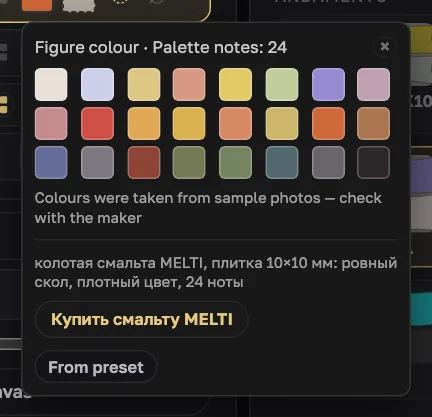
Colour squares in the layer rows: figure, holes, background, frame bands and Grout. Maker palettes offer their own notes; below them are the material and a “Buy…” link.
Dimensions (optional)
Layout side toolbar: dimension line, tape, canvas size and Print dimensions on the mosaic and in the file.
Generate
Press Generate in the header. To its left you see how many credits will be charged, to its right your balance. Tiles appear on the sheet row by row; Stop halts. If the server is busy, you see your place in the queue.

Polish the look without recounting
Rounding, curvature, relief, outline, shadow, grout depth and colours change on the finished sheet without a new build. Change the layout and you'll see “Layout changed — generate again”.
Prepare for assembly
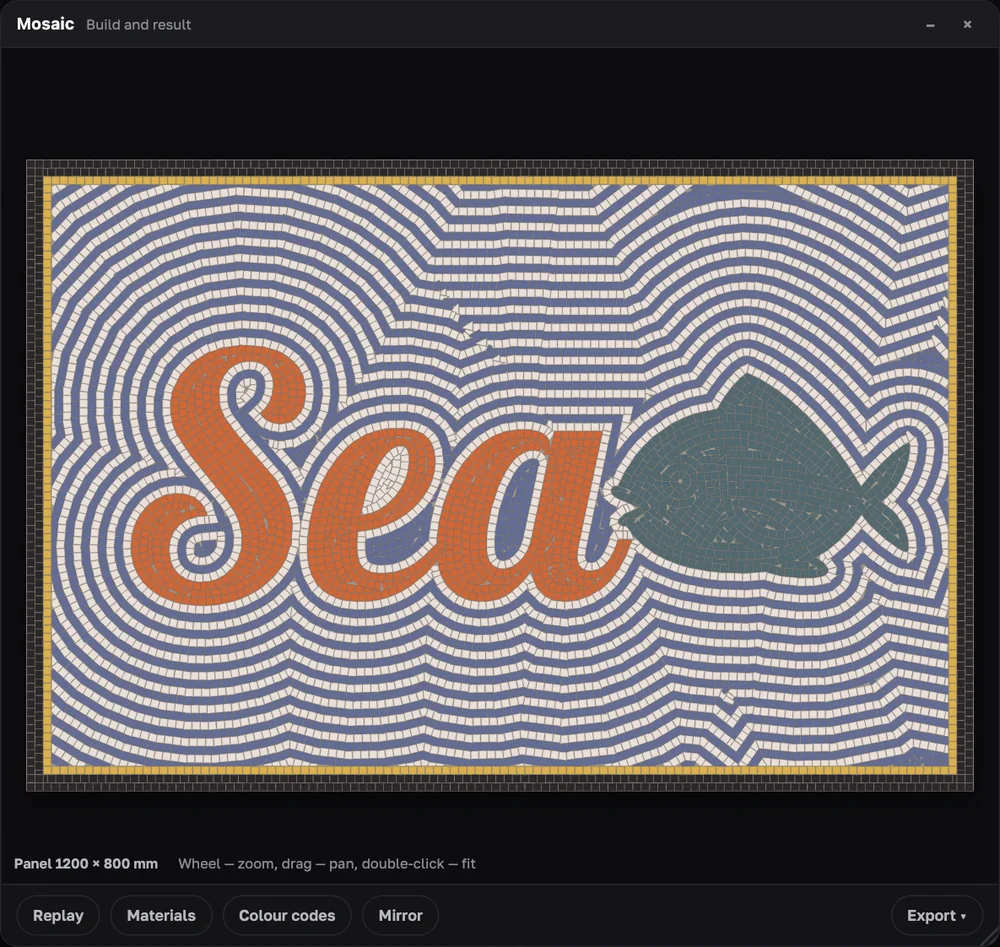
In the Mosaic window: Colour codes, Mirror (for the reverse method), Materials (notes, packs, CSV), Replay. Log → Summary shows size, area and tile counts by part.
Export
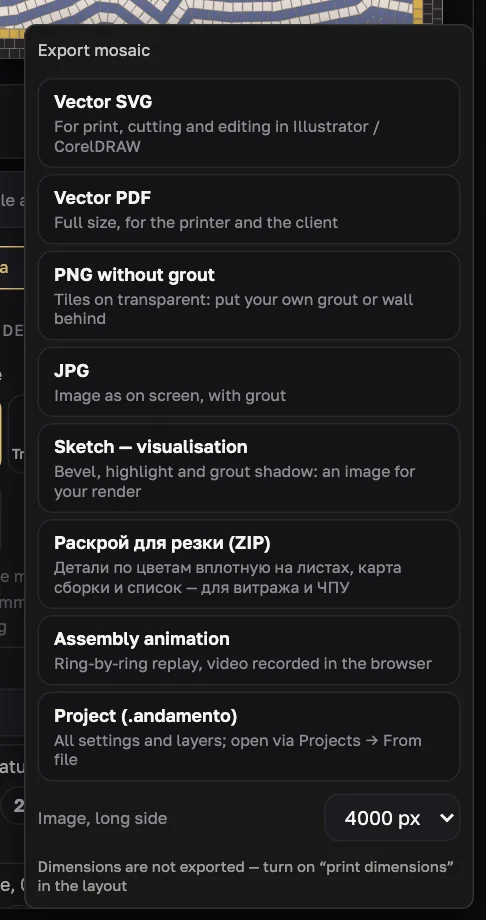
Export ▾: SVG, full-size PDF, PNG without grout, JPG, Sketch, cutting layout (ZIP), assembly animation and video, .andamento project. Image size — 2000, 4000 or 6000 px.
Save
Save current keeps it in the browser for 90 days. To keep it longer or move it to another computer, export Project (.andamento). Keep the exact result as SVG or PDF.
Try it on your own panel
ANDAMENTO WEB runs in a desktop browser with a PRO subscription. For a sketch from your phone, use the mobile app — 10 free credits when you sign up.