
Files for the workshop
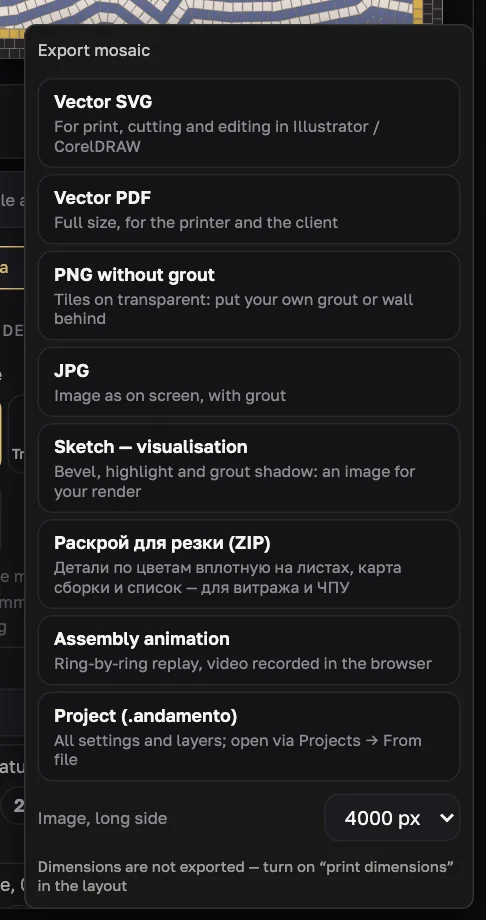
After a build, the Mosaic window has assembly aids and the “Export ▾” menu. All exports of a finished build are free.
The Export menu
| Vector SVG | For print, cutting and editing in Illustrator / CorelDRAW |
| Vector PDF | Full size, for the printer and the client |
| PNG without grout | Tiles on transparent: put your own grout or wall behind |
| JPG | Image as on screen, with grout |
| Sketch — visualisation | Bevel, highlight and grout shadow: an image for your render |
| Cutting layout (ZIP) | Parts by colour nested on sheets, an assembly map and a list — for stained glass and CNC |
| Assembly animation | Ring-by-ring replay, video recorded in the browser |
| Project (.andamento) | All settings and layers; open via Projects → From file |
Raster images: 2000, 4000 or 6000 px on the long side. File names start with ANDAMENTO.APP_; nothing is drawn on the image itself.
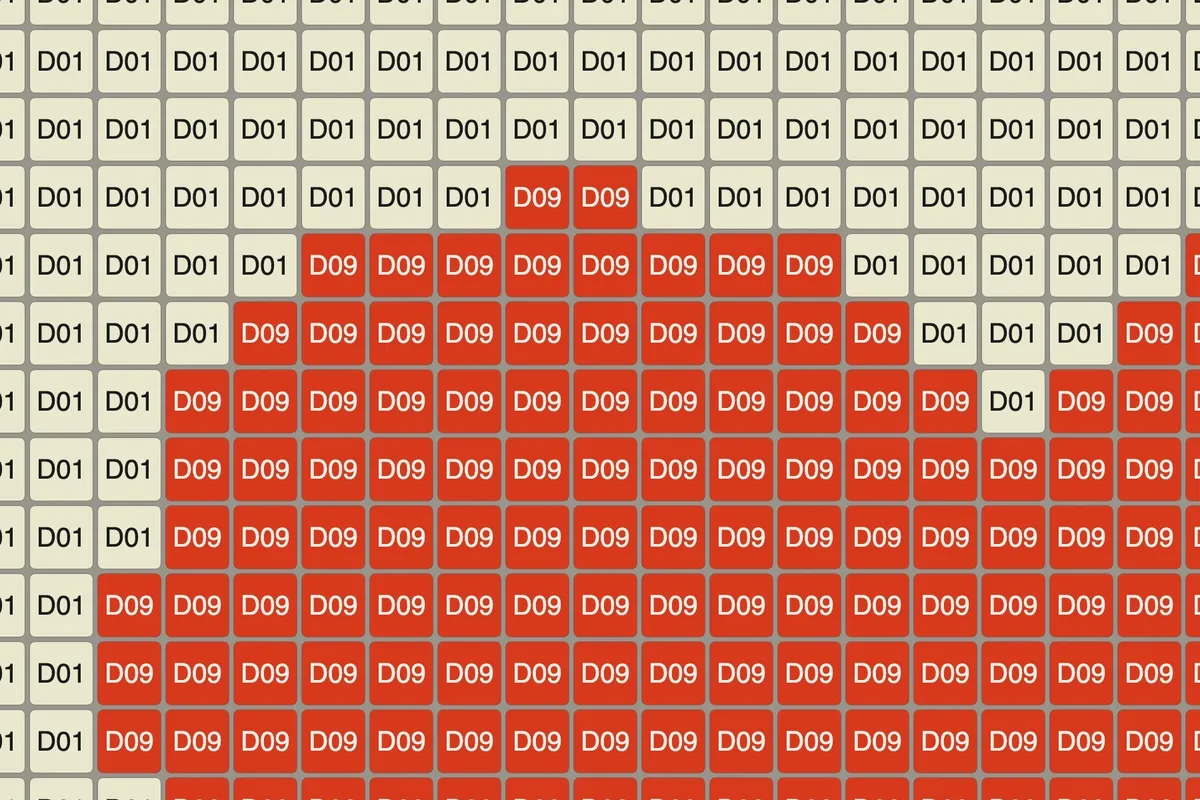
Colour codes
Colour codes labels every tile with its palette note — you can lay the sheet without a legend. The label scales with the tile: dark text on light tiles, light on dark. Codes go into every export.
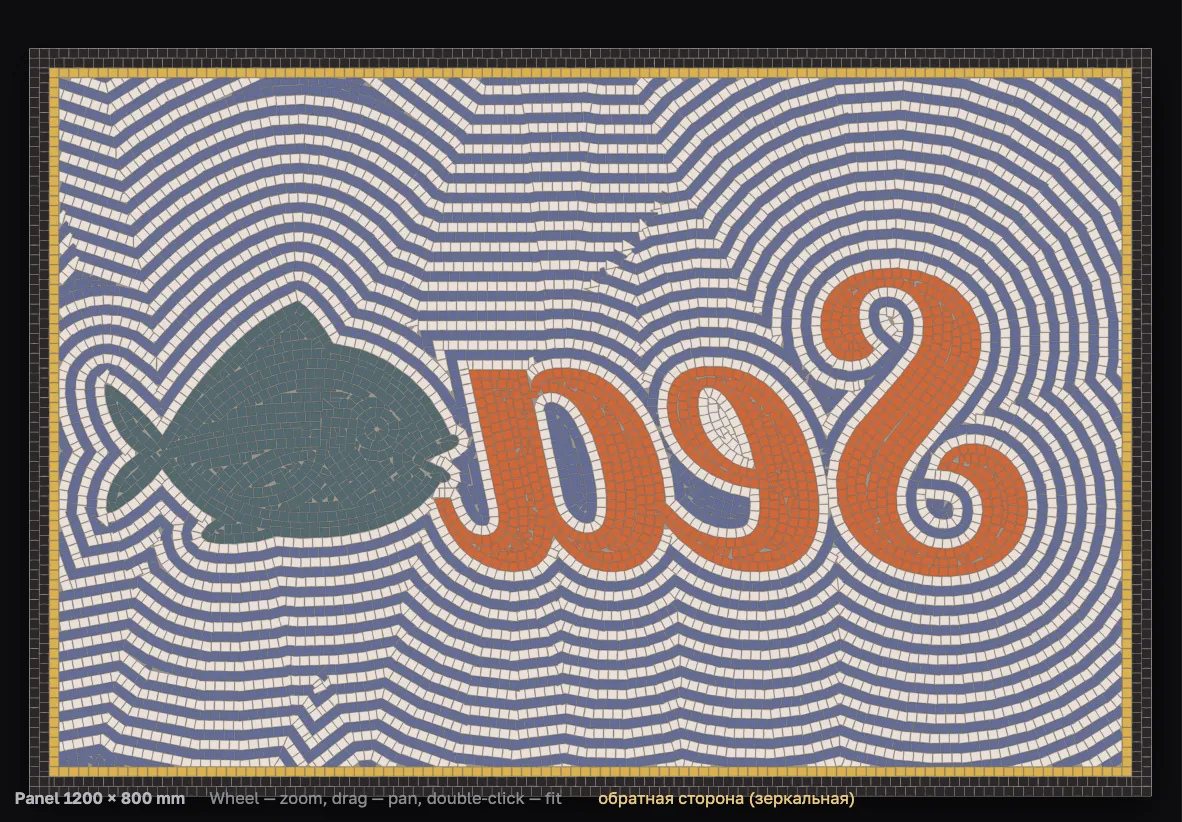
Mirrored sheet
Mirror — a sheet for the reverse (indirect) method. Only the drawing is mirrored: dimensions and codes stay readable, a “reverse side” mark appears, and file names get “_зеркало”. The build itself does not change.
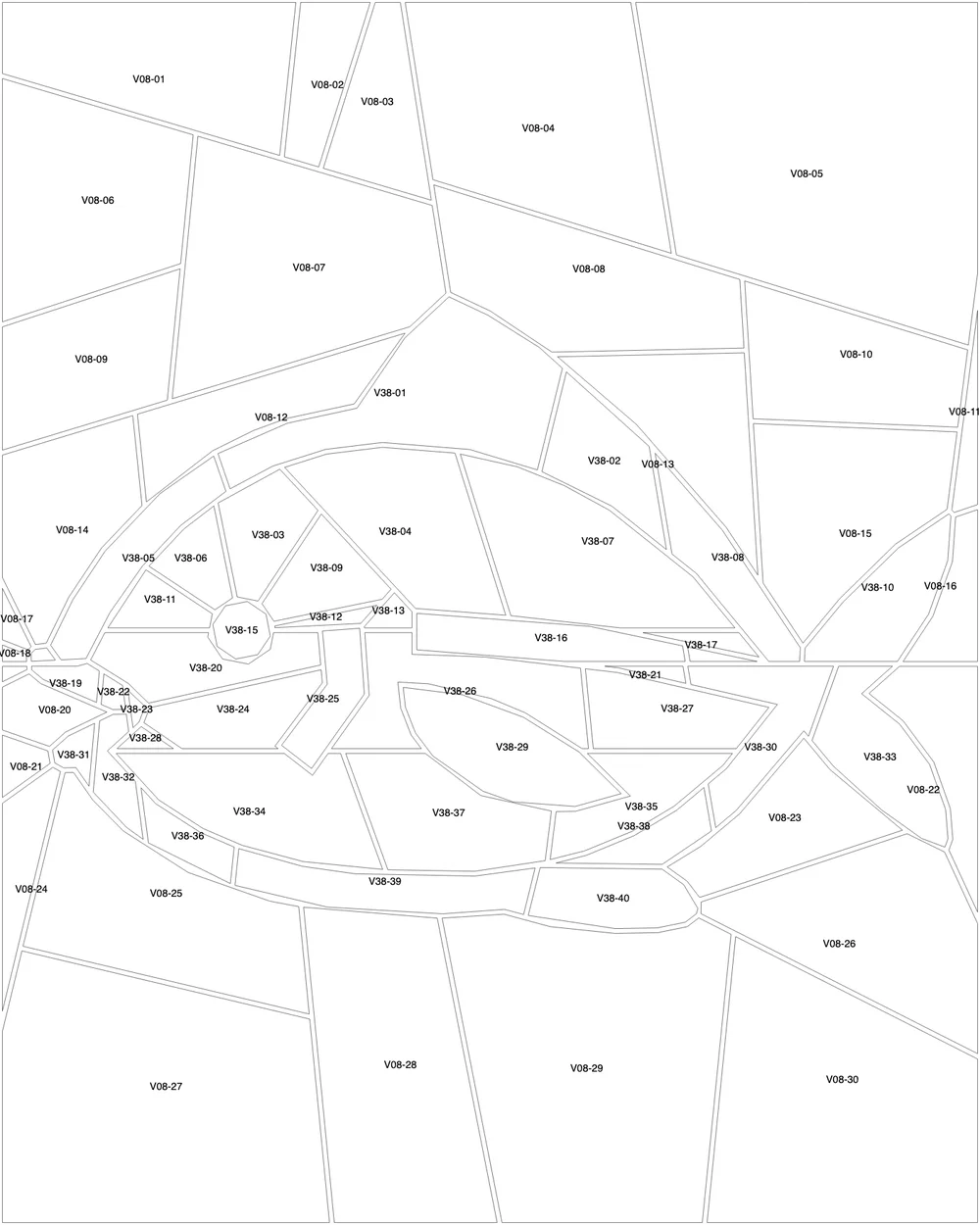
Cutting layout
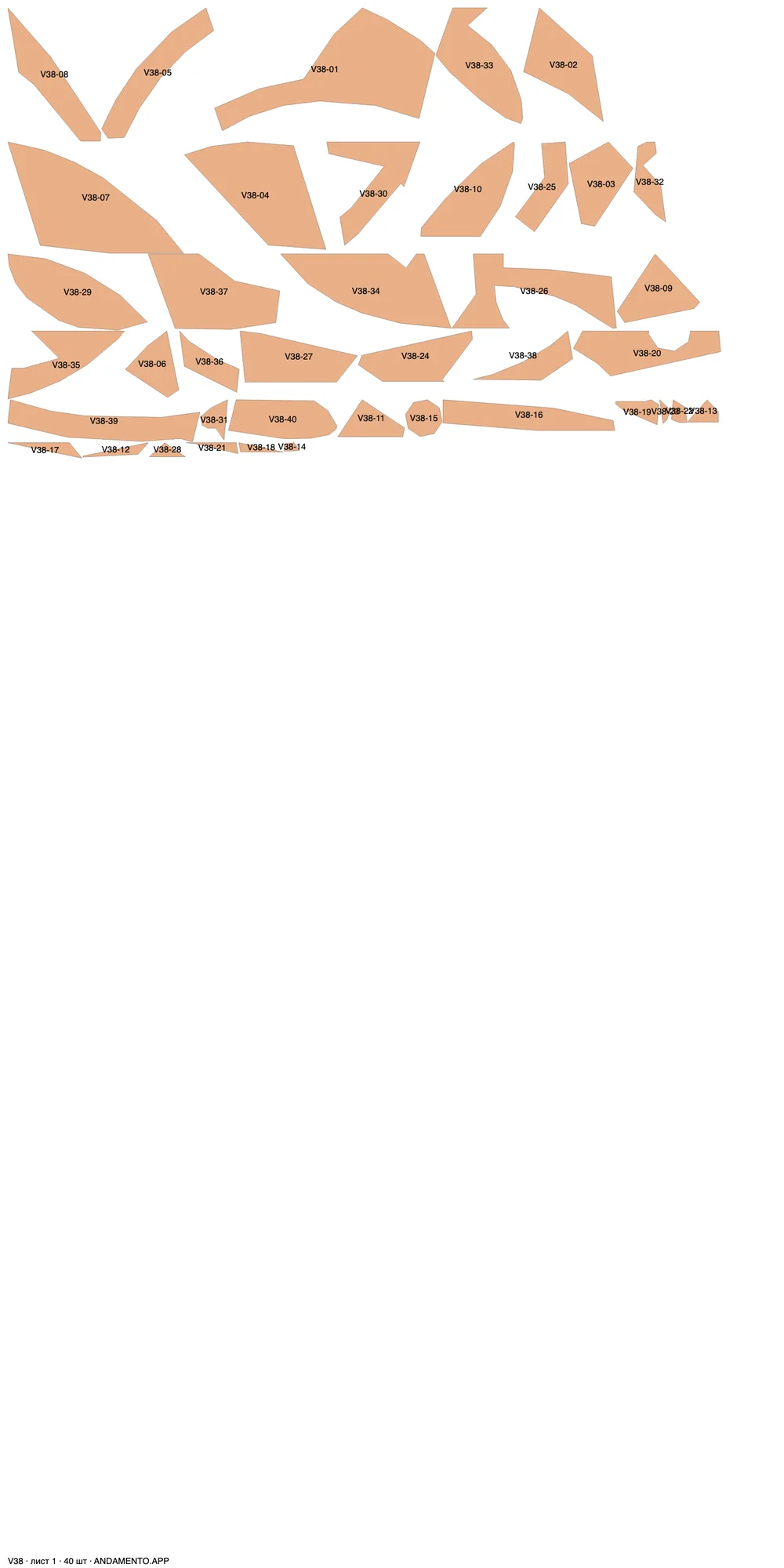
A ZIP for stained glass and contour inlays: parts of one note nested on 1000 × 2000 mm sheets (1 mm gap, 10 mm margin), without rotation — glass has a face and a rolling direction. Outlines are the finished part, the joint already subtracted. Suits waterjet and CNC.
сборка.svg— assembly map with part numbers in placeраскрой_<нота>_лист<N>.svg— sheets with cut lines and numbersдетали.csv— note, number, sheet, width, height, areaо_раскрое.txt— notes
A part number is the note plus a sequence number, e.g. V38-07.
Sketch and PNG without grout
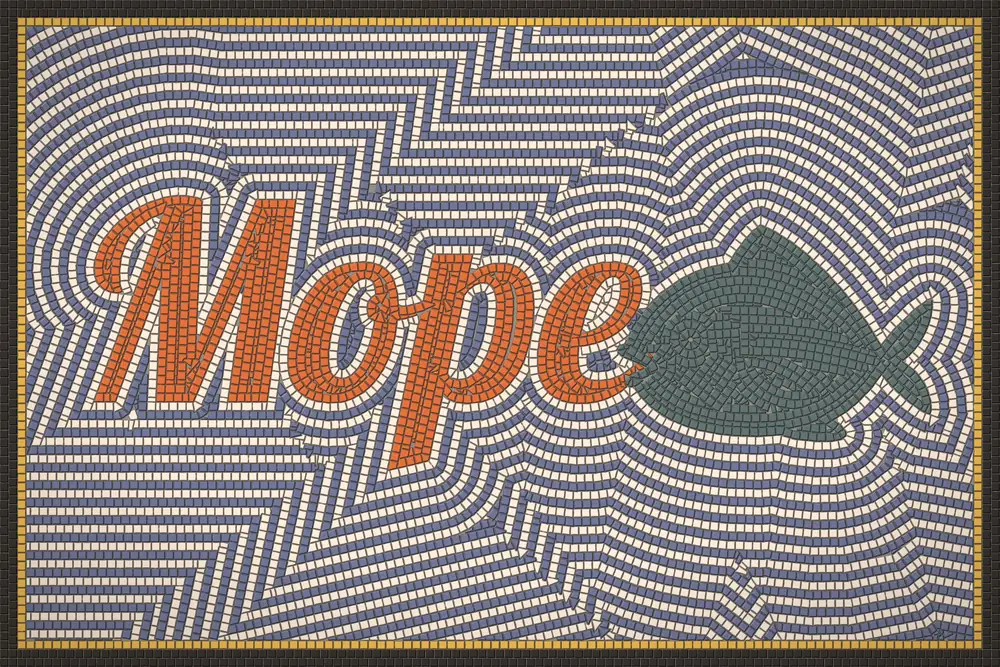
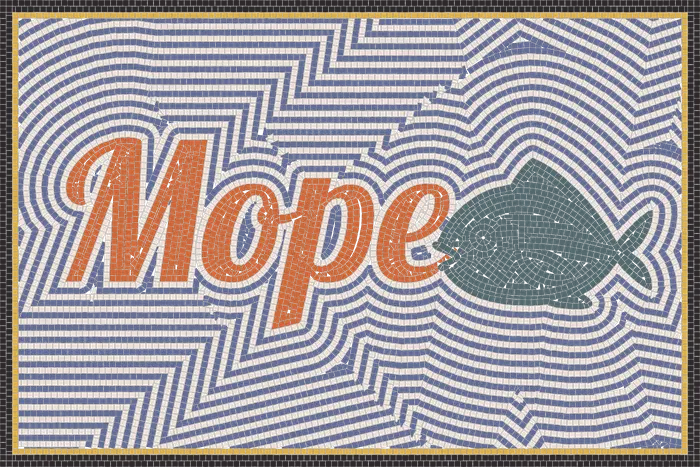
“Sketch — visualisation” adds bevel, highlight and grout shadow: an image to drop into an interior render. “PNG without grout” is tiles on a transparent background, to put your own grout or wall behind.
Assembly animation
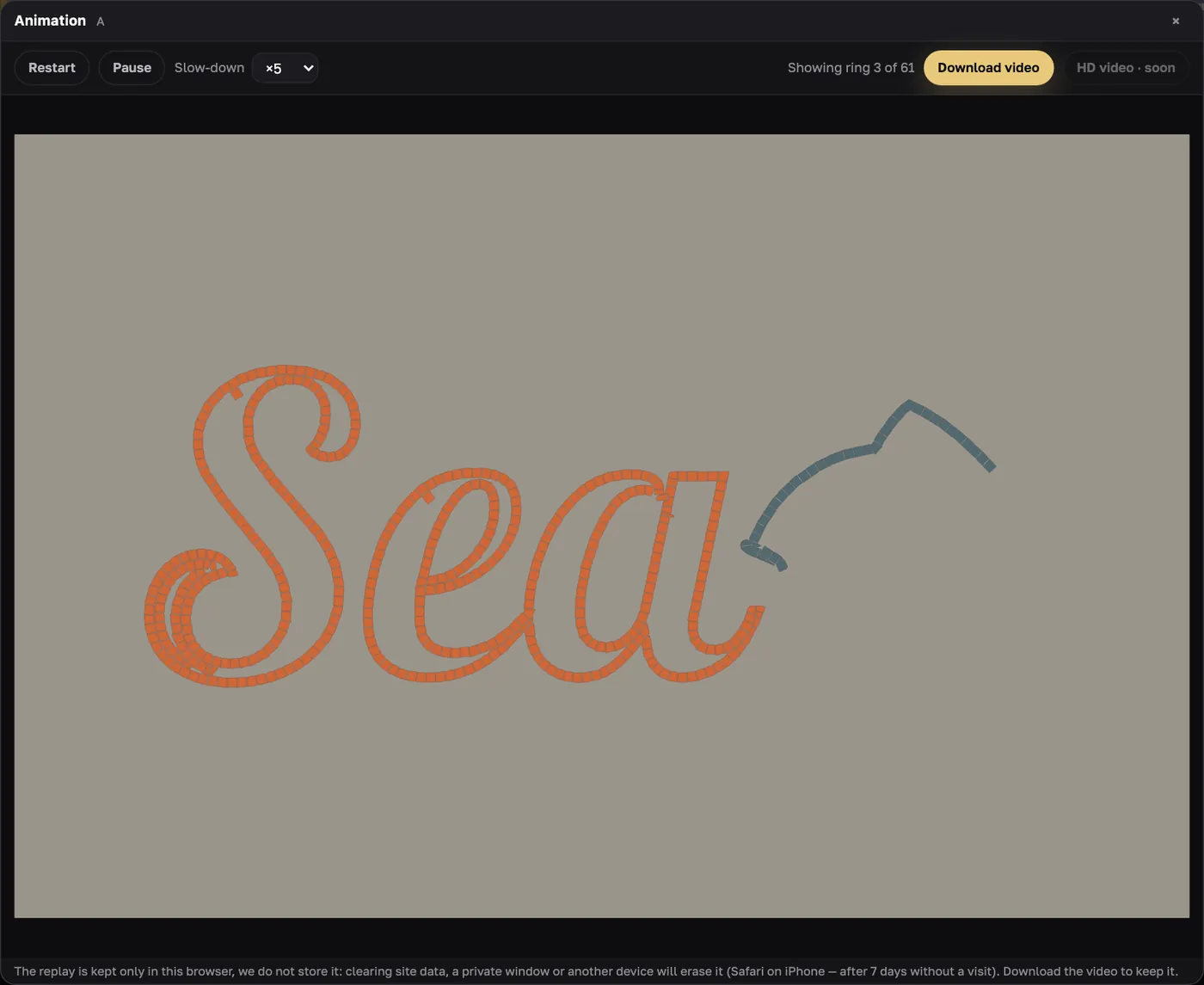
A ring-by-ring replay with slow-down ×1…×20. Download video records it right in the browser: MP4 in Safari, WebM in Chrome. Replays are kept only in this browser (the last 10) — download the video to keep it.
Try it on your own panel
ANDAMENTO WEB runs in a desktop browser with a PRO subscription. For a sketch from your phone, use the mobile app — 10 free credits when you sign up.